
Learn how to reply to GST notices online quickly and efficiently with our comprehensive step-by-step guide, complete with screenshots. Avoid penalties and ensure compliance.
The Goods and Services Tax (GST) regime in India, while streamlining taxation, often presents its own set of challenges, particularly when it comes to compliance and responding to official communications. Receiving a GST notice can be a daunting experience, triggering anxieties about penalties, legal implications, and the sheer complexity of the process. However, understanding how to effectively reply to these notices online is a crucial skill for any taxpayer or business owner.
This comprehensive guide aims to demystify the process of responding to GST notices through the official GST portal. We’ll walk you through each step with clear instructions and illustrative screenshots, ensuring you can navigate the system with confidence and maintain your compliance effortlessly.
Understanding GST Notices: Why Do You Receive Them?
Before diving into the “how-to,” it’s essential to understand why you might receive a GST notice. These notices are typically issued by tax authorities for various reasons, including:
- Discrepancies in Returns: Mismatches between your GSTR-1 (outward supplies) and GSTR-3B (summary return), or between your GSTR-3B and GSTR-2A/2B (inward supplies).
- Non-filing of Returns: Failure to file your monthly/quarterly returns within the due dates.
- Under-declaration of Liability: If the tax department believes you’ve paid less tax than due.
- Excess Claim of Input Tax Credit (ITC): If your claimed ITC appears higher than eligible.
- Audit or Scrutiny: As part of a routine audit or specific scrutiny of your tax filings.
- Registration Issues: Problems with your GST registration, such as cancellation or suspension.
- Specific Intelligence: Based on information received by the department regarding potential tax evasion or non-compliance.
It’s crucial to acknowledge every GST notice promptly. Ignoring them can lead to severe penalties, including increased interest, late fees, and even legal action.
Common Types of GST Notices You Might Encounter
While the procedure for replying online is generally similar, it’s good to be aware of some common notice forms:
- DRC-01: Show Cause Notice (SCN) for demand of tax, interest, or penalty. This is a serious notice indicating a potential tax liability.
- DRC-01A: Intimation of ascertainment of tax liability, asking for voluntary payment.
- ASMT-10: Scrutiny of Returns notice, seeking clarification on discrepancies identified in your filed returns.
- ASMT-12: Reply to ASMT-10 notice, where you submit your response.
- REG-03: Notice for seeking additional information regarding GST registration.
- REG-17: Show Cause Notice for cancellation of registration.
This guide will primarily focus on responding to ASMT-10 (Scrutiny of Returns) and DRC-01 (Show Cause Notice) as they are among the most frequently encountered.
The Golden Rules Before Replying
- Don’t Panic: Read the notice carefully to understand the exact issue.
- Act Promptly: Most notices have a deadline for reply (e.g., 7, 15, or 30 days). Mark it and start working immediately.
- Gather Evidence: Collect all relevant documents, invoices, bank statements, and reconciliation statements that support your position.
- Seek Professional Help (If Needed): For complex notices, consult a GST expert, Chartered Accountant (CA), or tax lawyer.
- Be Clear and Concise: Your reply should directly address the points raised in the notice, supported by facts and evidence.
Step-by-Step Guide to Replying to GST Notices Online
The process for replying to most GST notices online follows a similar path within the GST portal. We will illustrate using a general flow that applies to notices like ASMT-10 and DRC-01.
Step 1: Log in to the GST Portal
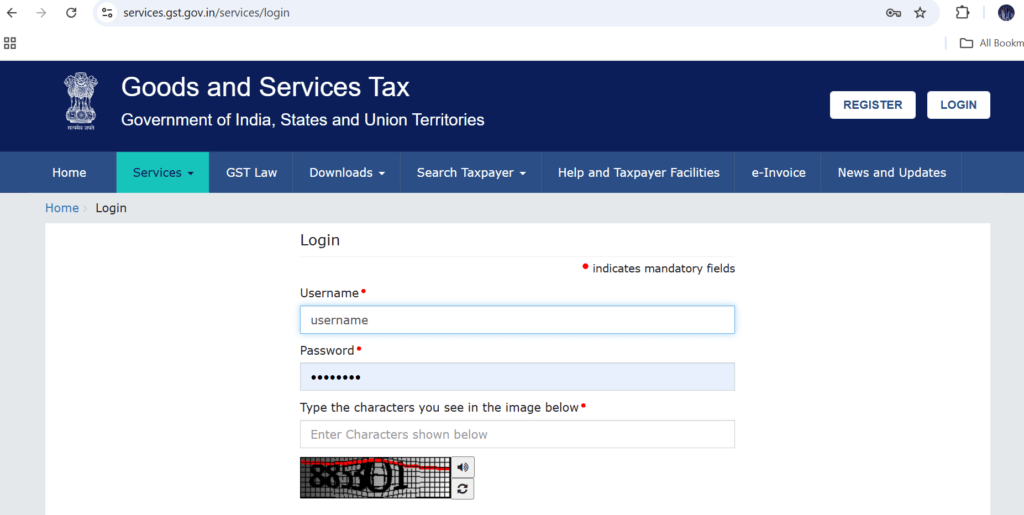
Open your web browser and navigate to the official GST portal: www.gst.gov.in. Enter your “Username” and “Password” and then the “Captcha” characters. Click “LOGIN”.
Step 2: Navigate to “View Notices and Orders”
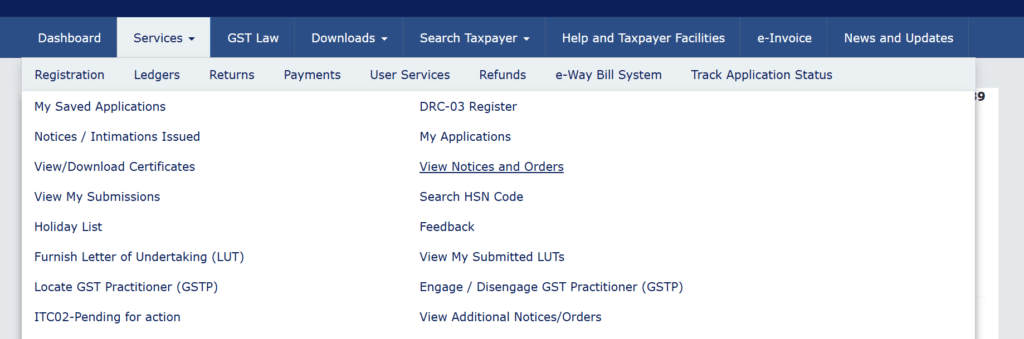
Once logged in, on your dashboard, hover over the “Services” tab. From the dropdown menu, select “User Services” and then click on “View Notices and Orders”.
Step 3: Identify the Relevant Notice
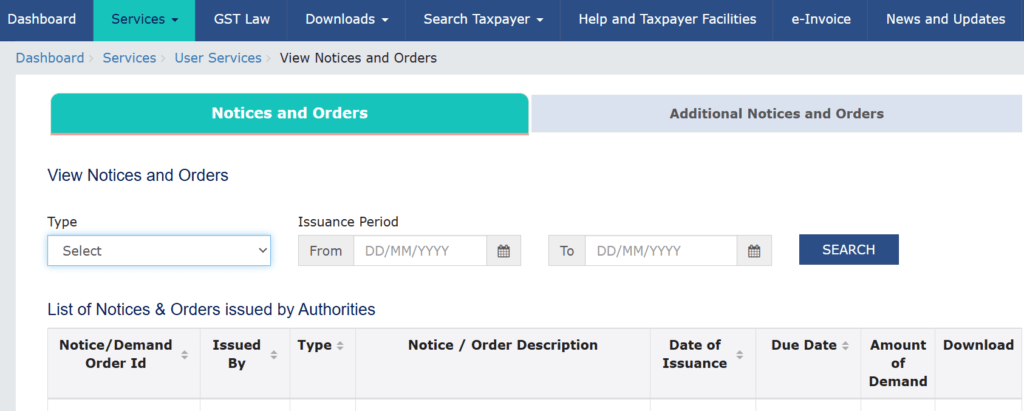
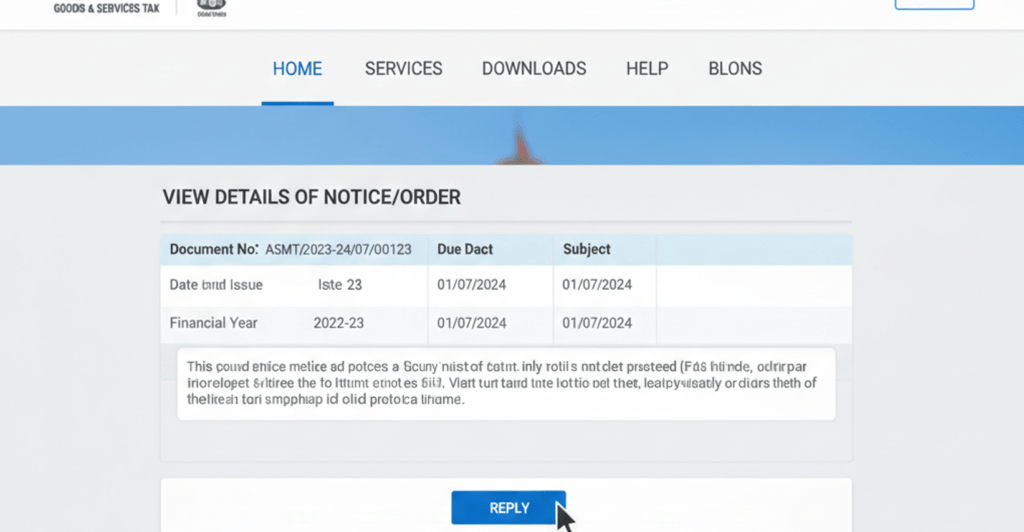
On the “View Notices and Orders” page, you will see a list of all notices and orders issued to you. Locate the specific notice you wish to reply to. You can use the search and filter options to narrow down the list if needed. Click on the “Reference Number” or “Subject” of the notice to view its details.
After clicking on the notice, you’ll see its complete details. Scroll down and look for the option to “REPLY”. The exact button name might vary slightly depending on the type of notice (e.g., “SUBMIT REPLY” or “REPLY TO NOTICE”). Click on it.
Step 4: Prepare Your Response
This is the most critical part. The system will open a form where you need to input your reply.
a. Choose your Action:
- For ASMT-10 (Scrutiny Notice): You will usually have options to either accept the discrepancies and pay the tax/interest voluntarily, or provide explanations/clarifications for the discrepancies.
- For DRC-01 (Show Cause Notice): You will need to provide a detailed explanation as to why the demand raised should not be confirmed.
Text Box for Reply: Type your detailed response in the provided text area. Ensure your language is formal, clear, and directly addresses each point raised in the original notice. Refer to relevant sections of the GST Act, rules, and circulars if applicable. If you are clarifying discrepancies, provide specific invoice numbers, dates, and amounts.
Tip: It's advisable to draft your reply in a word file first, review it thoroughly, and then copy-paste it into the portal. The portal might have character limits, so keep your response concise yet comprehensive.
c. Upload Supporting Documents:
This is crucial. Your written explanation must be backed by concrete evidence. Click on “Choose File” or “Browse” to upload supporting documents.
- Examples of documents:
- Copies of relevant sales/purchase invoices.
- Bank statements.
- Reconciliation statements (e.g., GSTR-2A vs. purchase register).
- Ledger extracts.
- Correspondence with parties.
- Any other document that supports your claims.
- Important:
- Ensure documents are in acceptable formats (PDF, JPEG, PNG, etc.).
- Adhere to file size limits (usually 5 MB per document, max 4 documents for some notices). If you have more, combine them into single PDFs where logical, or explain in your reply that additional documents can be provided upon request.
- Rename files descriptively (e.g., “Invoice-No-XYZ.pdf,” “GSTR2A-Reconciliation-FY22-23.pdf”).
d. Payment if Applicable (DRC-03):
If the notice requires you to pay a certain amount (tax, interest, penalty) and you agree to it, you can make the payment voluntarily using Form DRC-03. Select the checkbox “I have made the payment (DRC-03)” and then click on “Initiate DRC-03”. You will be redirected to the DRC-03 form to declare the payment made. After successfully submitting DRC-03, note down the ARN. You will need to mention this ARN in your reply to the notice.
e. Declaration:
Tick the declaration checkbox, affirming that the information provided is true and correct to the best of your knowledge and belief. Enter the “Name of Signatory” and “Place”.
Step 5: Save as Draft and Review
Before final submission, it’s a good practice to click “SAVE AS DRAFT”. This allows you to revisit your reply later if you need to gather more information or proofread.
Once saved, review your entire reply and the uploaded documents. Ensure everything is accurate and addresses all points raised in the notice.
Step 6: Proceed to File
Once you are satisfied with your reply, click on “PROCEED TO FILE”.
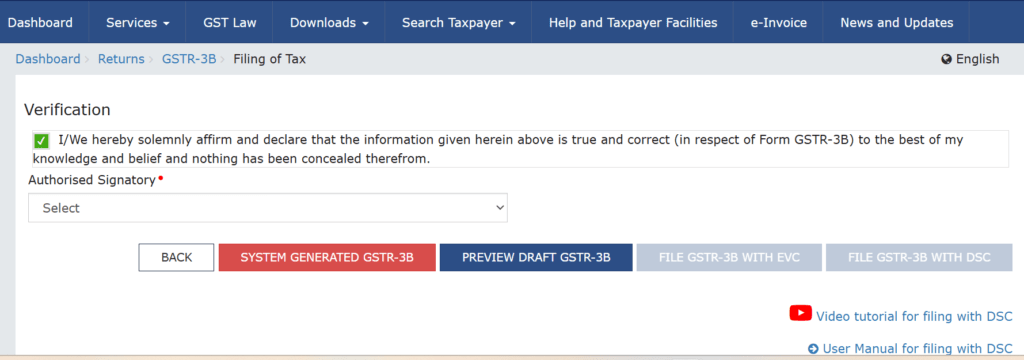
Step 7: File with DSC/EVC
You will be prompted to file the reply using either Digital Signature Certificate (DSC) or Electronic Verification Code (EVC).
- DSC: If you are a company or an LLP, you generally need to use DSC. Ensure your DSC is registered on the GST portal.
- EVC: Individuals, proprietorships, partnerships, and Hindu Undivided Families (HUFs) can use EVC, which sends an OTP to your registered mobile number and email ID.
Select your preferred option, complete the verification process, and click “FILE”.
Step 8: Acknowledgment and Record Keeping
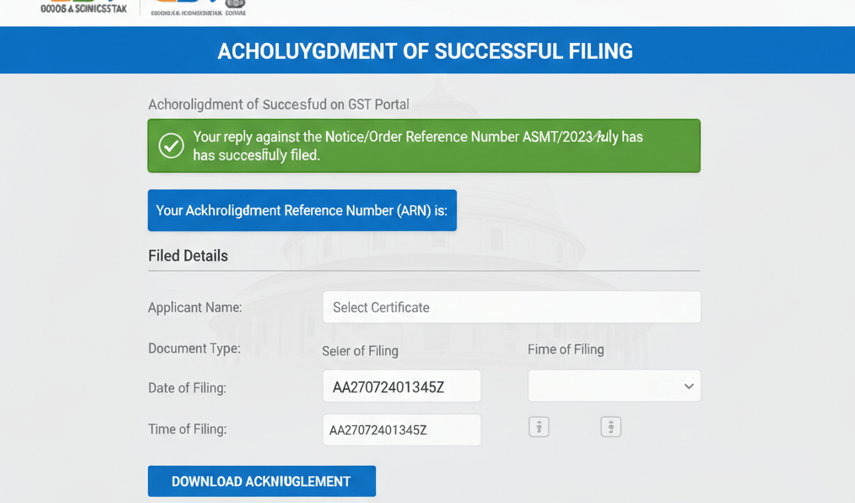
Upon successful submission, a success message will be displayed, and an “Acknowledgment Reference Number (ARN)” will be generated for your reply.
Download Acknowledgment: Download and save the acknowledgment for your records.
Track Status: You can track the status of your reply and subsequent actions by the tax authority under the “View Notices and Orders” section. The status of the original notice will change (e.g., from “Pending for Reply” to “Replied” or “Reply Submitted”).
What Happens After You Reply?
Once you’ve submitted your reply, the ball is back in the tax officer’s court. They will review your explanation and supporting documents.
- Acceptance: If the officer is satisfied, they may issue an order dropping the proceedings or closing the notice (e.g., ASMT-12 in response to ASMT-10, or DRC-05 for DRC-01).
- Further Clarification: The officer might require additional information and may issue another notice seeking more details.
- Personal Hearing: In some cases, especially for SCNs like DRC-01, a personal hearing might be scheduled where you or your authorized representative can present your case.
- Adverse Order: If the officer is not satisfied, they may pass an adverse order confirming the demand for tax, interest, or penalty. In such a scenario, you would then have options to appeal the order to higher authorities.
Key Considerations and Best Practices
- Timeliness is Paramount: Never miss the deadline. If you anticipate a delay, you can sometimes request an extension, but this is not guaranteed and must be done formally.
- Maintain Records: Keep physical and digital copies of all notices received, your replies, and all supporting documents. Create a dedicated folder for each notice.
- Professional Language: Always maintain a polite, professional, and factual tone in your correspondence.
- Be Specific: Vague replies are unhelpful. Clearly reference the points from the original notice and provide specific data and document references.
- Reconcile Regularly: Proactive reconciliation of your GSTR-1, GSTR-3B, and GSTR-2A/2B/4 will help you identify and rectify discrepancies before they trigger a notice.
- Stay Updated: GST laws and procedures are dynamic. Keep yourself updated with the latest amendments, notifications, and circulars issued by the CBIC.
- Consult Experts: If the notice involves complex legal interpretations or significant tax liability, always err on the side of caution and consult a GST professional. They can help draft a robust reply and represent you if needed.
Conclusion
Replying to GST notices online, while initially seeming complex, is a manageable process once you understand the steps involved and adhere to best practices. The GST portal provides the necessary interface to communicate effectively with tax authorities. By being prompt, thorough, and well-documented in your responses, you can ensure compliance, avoid unnecessary penalties, and maintain a smooth operational flow for your business. Remember, a notice is often an opportunity to clarify and demonstrate your compliance, not an immediate sign of wrongdoing. Handle it systematically, and you’ll navigate the GST landscape with greater ease.
Stay tuned for more updates on www.taxbabuji.com.