
| Type | Technical Reference |
| Technology Stack | Python, Flask, Groq AI (LLaMA 3.3), Tally Prime |
| Cost to Implement | 100% FREE – No Credit Card Required |
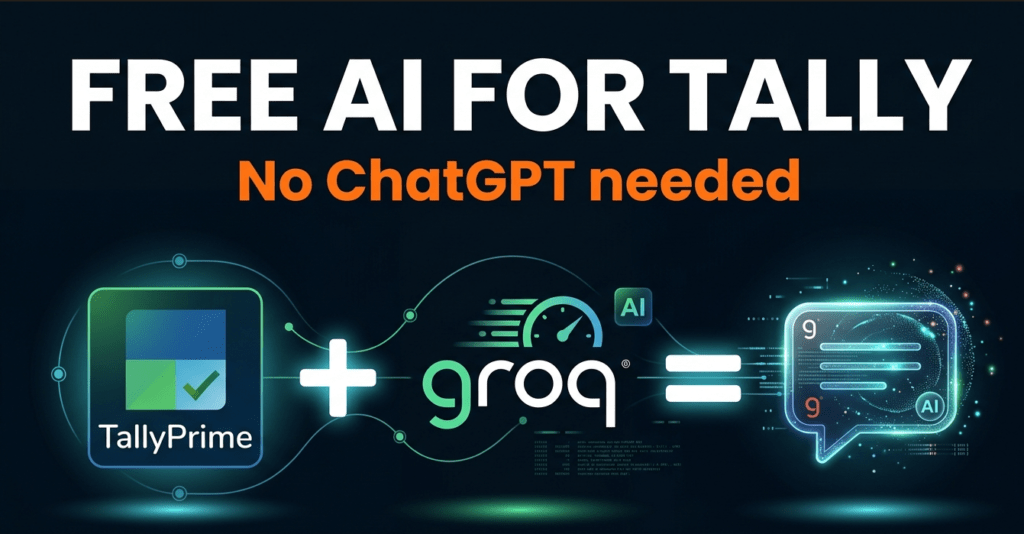
The project demonstrates a real-world AI integration: connecting Tally Prime ERP software with a free Large Language Model (Groq/LLaMA) to enable natural language business queries — allowing any business owner to simply ask questions like ‘Show today’s sales’ or ‘What is my profit this month?’ and receive instant, intelligent answers.
Key Innovation Points
- First-of-its-kind Tally Prime + Free AI integration using verified XML report names
- 100% free implementation — uses Groq API (no credit card, 14,400 requests/day)
- Beautiful HTML chat interface — works directly in any browser
- Natural language queries replace complex Tally navigation
- Combines local ERP data with AI intelligence in real time
Technology Stack
| Component | Technology | Purpose / Why Chosen |
| AI Model | Groq + LLaMA 3.3 70B | Free, fast, highly accurate for business data |
| Backend | Python 3 + Flask | Simple, beginner-friendly, widely taught |
| ERP System | Tally Prime | Most used accounting software in India |
| API Protocol | XML over HTTP | Native Tally API — no plugins needed |
| Frontend | HTML5 + CSS3 + JS | No framework needed, opens in any browser |
| Cross-Origin | Flask-CORS | Allows browser to call local Python server |
| HTTP Client | Python Requests | Standard library for API calls |
Verified Tally Prime Report Names
These report names were discovered through systematic testing and are confirmed working with Tally Prime via XML API:
| XML Report Name | Query Keywords Detected | Business Use Case |
| Day Book | sales, invoice, today, transaction | Daily transaction register |
| Ledger | ledger, account, party | Account master list |
| Balance Sheet | balance sheet, assets, liabilities | Financial position |
| Profit and Loss | profit, loss, income, expense | Business performance |
| Trial Balance | trial, debit, credit | Account balances |
| Stock Summary | stock, inventory, goods | Inventory position |
| Cash Flow | cash flow, cash | Cash movement analysis |
| Ratio Analysis | ratio, working capital, liquidity | Financial ratios |
System Architecture Flow
| Step | Description |
| Step 1 | User types query in HTML browser interface |
| Step 2 | JavaScript sends POST request to Flask server at localhost:5000/ask |
| Step 3 | Python analyses query keywords to select the appropriate Tally report |
| Step 4 | Python sends XML envelope request to Tally Prime at localhost:9000 |
| Step 5 | Tally Prime returns raw XML data for the requested report |
| Step 6 | Python combines user query + Tally XML data into a Groq AI prompt |
| Step 7 | Groq API processes with LLaMA 3.3 70B and returns plain English answer |
| Step 8 | Flask returns JSON response to browser with answer + metadata |
| Step 9 | HTML displays formatted answer with source badges (Tally / Web) |
3.4 Groq API — Free Tier Limits
| Limit Type | Value |
| Requests per Day | 14,400 requests (free tier) |
| Requests per Minute | 30 requests per minute |
| Model Used | llama-3.3-70b-versatile |
| Max Tokens per Request | 1,024 tokens (our setting) |
| Response Time | Typically, 1 to 3 seconds |
| Cost | Rs. 0 — completely free, no card needed |
| Registration | Gmail account only at console.groq.com |
What This Project Does — In Simple Terms
Imagine you have a very knowledgeable assistant sitting next to your computer. This assistant knows everything about accounting, GST, and Indian business practices. Whenever you want to know something about your business — instead of opening Tally, clicking through menus, finding the right report, and reading complex numbers — you simply ask your assistant a question.
This project creates exactly that assistant. It connects your existing Tally Prime software (where all your accounts live) with a modern AI (that understands language and numbers) and puts a simple chat window in your browser where you can type any question.
Real Business Questions This Can Answer
- What is my total sales for today?
- Which customers owe me money?
- Am I making a profit this month?
- What is my current cash balance?
- What is the GST rate for my product category?
- When is my next GST filing deadline?
- How does my working capital look this quarter?
- Which expense head is highest this month?
Why This Matters for Commerce Education
| Stakeholder | Benefit |
| Students | Learn AI + accounting integration — highly employable skill |
| Faculty | Teach cutting-edge fintech with a real working project |
| Business Owners | Get instant answers without Tally expertise |
| CA / Accountants | Faster data access and client reporting |
| TrainingProgramme | Demonstrates practical AI application in commerce domain |
Comparison: Before vs After
| Task | Before (Traditional) | After (AI Assistant) |
| Check today’s sales | Open Tally > Day Book > Set date > Read | Type: Show today’s sales |
| Check profit | Reports > P&L > Set period > Interpret | Type: What is my profit? |
| GST rate query | Search government website or call CA | Type: GST rate for electronics |
| Balance sheet | Reports > Balance Sheet > Export | Type: Show balance sheet |
| Staff training needed | 2 to 3 days Tally training | 5 minutes to type questions |
COMPLETE SETUP GUIDE
Prerequisites Checklist
- Tally Prime installed and running with a company loaded
- Python 3.9 or higher installed (python.org)
- Free Groq account — sign up at console.groq.com using Gmail
- Any modern browser (Chrome, Edge, Firefox)
- tally_server.py and index.html files (provided in download)
Tally Prime Configuration
- Open Tally Prime and load your company
- Press F1 > Help > Settings > Connectivity
- Enable ‘Tally Gateway Server’ and set Port to 9000
- Press Enter to save — Tally is now an HTTP server
Python Setup Commands
pip install flask flask-cors requests
Run the Application
cd “D:\Desktop\Tally Whatsapp”
python tally_server.py
Then double-click index.html to open in browser. The green badge confirms Tally is connected.
RELEVANCE
Learning Outcomes for Students
- Understanding of REST API architecture and HTTP communication
- Practical XML data parsing and manipulation
- Integration of AI/LLM APIs in real business applications
- Full-stack development: backend (Python) + frontend (HTML/JS)
- Understanding of ERP systems and their data structures
- Prompt engineering for business intelligence applications
- Real-world problem-solving combining commerce and technology
Subjects This Project Covers
| Subject Area | How This Project Applies |
| Accountancy | Tally ERP reports — P&L, Balance Sheet, Trial Balance |
| Computer Applications | Python programming, Flask web framework, API integration |
| Information Technology | HTTP servers, XML APIs, JSON data exchange |
| Artificial Intelligence | LLM APIs, prompt engineering, AI response parsing |
| Business Studies | ERP systems, business intelligence, financial analysis |
| Entrepreneurship | Cost-zero implementation, practical business tool building |
Possible Extensions for Advanced Students
- WhatsApp integration — query Tally via WhatsApp messages
- Voice input — speak questions using browser speech recognition
- Automated daily email reports with AI-generated business summary
- Multi-company support — switch between Tally companies
- Dashboard with charts using Chart.js for visual data
- GST return preparation assistant using Tally data
FREE SOURCE CODE is here 👇
✅ tally_server.py —
“””
Tally Prime + Groq Backend Server (100% FREE)
Setup:
- Get free API key from https://console.groq.com
- Paste your key below where it says GROQ_API_KEY
- Run: python tally_server.py
- Open index.html in your browser
“””
from flask import Flask, request, jsonify
from flask_cors import CORS
import requests
app = Flask(name)
CORS(app)
─── CONFIG ───────────────────────────────────────────────
TALLY_URL = “http://localhost:9000”
GROQ_API_KEY = “your-groq-key-here” # 👈 Paste your free key here
GROQ_URL = “https://api.groq.com/openai/v1/chat/completions”
GROQ_MODEL = “llama-3.3-70b-versatile”
──────────────────────────────────────────────────────────
✅ Verified working report names for Tally Prime
TALLY_REPORTS = {
“ledger”: “Ledger”,
“daybook”: “Day Book”,
“balance”: “Balance Sheet”,
“profit”: “Profit and Loss”,
“trial”: “Trial Balance”,
“stock”: “Stock Summary”,
“cashflow”: “Cash Flow”,
“ratio”: “Ratio Analysis”,
}
def get_tally_data(query_lower):
“””Pick and fetch the best Tally Prime report for the user’s question.”””
# Choose report based on keywords
if any(w in query_lower for w in [“stock”, “inventory”, “item”, “product”, “goods”, “godown”]):
report_key = “stock”
elif any(w in query_lower for w in [“sales”, “sale”, “purchase”, “invoice”, “voucher”, “transaction”, “today”, “entry”, “day book”]):
report_key = “daybook”
elif any(w in query_lower for w in [“balance sheet”, “assets”, “liabilities”, “capital”]):
report_key = “balance”
elif any(w in query_lower for w in [“profit”, “loss”, “p&l”, “income”, “expense”, “indirect”, “direct”]):
report_key = “profit”
elif any(w in query_lower for w in [“trial”, “tb”, “debit”, “credit”]):
report_key = “trial”
elif any(w in query_lower for w in [“cash flow”, “cashflow”, “cash”]):
report_key = “cashflow”
elif any(w in query_lower for w in [“ratio”, “working capital”, “liquidity”, “analysis”]):
report_key = “ratio”
else:
report_key = “ledger”
report_name = TALLY_REPORTS[report_key]
xml_body = “””
Export Data
“”” + report_name + “”” $$SysName:XML
“””
try:
    resp = requests.post(
        TALLY_URL,
        data=xml_body.encode("utf-8"),
        headers={"Content-Type": "text/xml"},
        timeout=10
    )
    text = resp.text

    # Check for errors in response
    if "LINEERROR" in text or "Unknown Request" in text:
        return {
            "success": False,
            "report": report_name,
            "data": f"Tally returned an error for report: {report_name}"
        }

    return {"success": True, "report": report_name, "data": text}

except requests.exceptions.ConnectionError:
    return {
        "success": False,
        "report": report_name,
        "data": "TALLY_OFFLINE: Cannot connect to Tally on port 9000. Please make sure Tally Prime is open with a company loaded."
    }
except requests.exceptions.Timeout:
    return {
        "success": False,
        "report": report_name,
        "data": f"Tally took too long to respond for report: {report_name}. Try a simpler query."
    }
except Exception as e:
    return {"success": False, "report": report_name, "data": f"ERROR: {str(e)}"}
def ask_groq(user_query, tally_result):
“””Send question + Tally data to Groq AI.”””
system_prompt = """You are a smart, friendly Indian business assistant integrated with Tally Prime ERP.You help business owners understand their accounts, GST, stock, and business finances.
Your behavior:
- Carefully parse the Tally XML data and extract meaningful numbers, account names, and balances
- Present data in a clean, readable format — use tables or bullet points when listing accounts
- Format all amounts in Indian style: use lakhs and crores (e.g. 5,84,000 = 5.84 Lakhs)
- If you see Dr/Cr in amounts, explain what it means simply
- Give a clear direct answer to the user’s question first, then show supporting data
- If Tally is offline or returned no data, answer from your own knowledge
- For GST rates, tax deadlines, RBI rates — answer from knowledge and note it may have changed
- Company name in Tally: “Tally with Chat GPT”
- End with 1-2 short actionable tips when useful
- Be concise and friendly like a CA friend””” user_message = f”””Question: {user_query}
Tally Report Used: {tally_result[‘report’]}
Tally Status: {“Connected – data received” if tally_result[‘success’] else “Error/Offline”}
Raw Tally Data:
{tally_result[‘data’][:5000]}
Please answer the question based on this Tally data.”””
headers = {
    "Authorization": f"Bearer {GROQ_API_KEY}",
    "Content-Type": "application/json"
}

payload = {
    "model": GROQ_MODEL,
    "messages": [
        {"role": "system", "content": system_prompt},
        {"role": "user",   "content": user_message}
    ],
    "max_tokens": 1024,
    "temperature": 0.5
}

resp = requests.post(GROQ_URL, headers=headers, json=payload, timeout=30)
resp.raise_for_status()
return resp.json()["choices"][0]["message"]["content"]
@app.route(“/ask”, methods=[“POST”])
def ask():
body = request.get_json()
user_query = body.get(“query”, “”).strip()
if not user_query:
    return jsonify({"error": "Empty query"}), 400

tally_result = get_tally_data(user_query.lower())

try:
    answer = ask_groq(user_query, tally_result)
    return jsonify({
        "answer": answer,
        "tally_connected": tally_result["success"],
        "report_used": tally_result["report"],
        "web_searched": False
    })

except requests.exceptions.HTTPError as e:
    status = e.response.status_code
    if status == 401:
        return jsonify({"error": "Invalid Groq API key. Get your free key at console.groq.com"}), 401
    elif status == 429:
        return jsonify({"error": "Rate limit hit. Please wait a moment and try again."}), 429
    else:
        return jsonify({"error": f"Groq error {status}: {e.response.text}"}), 500
except Exception as e:
    return jsonify({"error": str(e)}), 500
@app.route(“/status”, methods=[“GET”])
def status():
“””Check if Tally is reachable.”””
try:
requests.post(TALLY_URL, data=b””, timeout=3)
return jsonify({“tally”: “online”})
except:
return jsonify({“tally”: “offline”})
if name == “main“:
print(“=” * 55)
print(” Tally Prime + Groq Assistant (FREE)”)
print(” Server: http://localhost:5000″)
print(” Open index.html in your browser”)
print(“=” * 55)
print()
print(” Working Tally Prime Reports:”)
for k, v in TALLY_REPORTS.items():
print(f” – {v}”)
print()
app.run(host=”0.0.0.0″, port=5000, debug=False)
✅ index.html —
Get FREE Groq API Key: https://console.groq.com 💬
Drop a comment if you get it working! I reply to every question.