
1. How to Login and Sign-Up at Canva ?
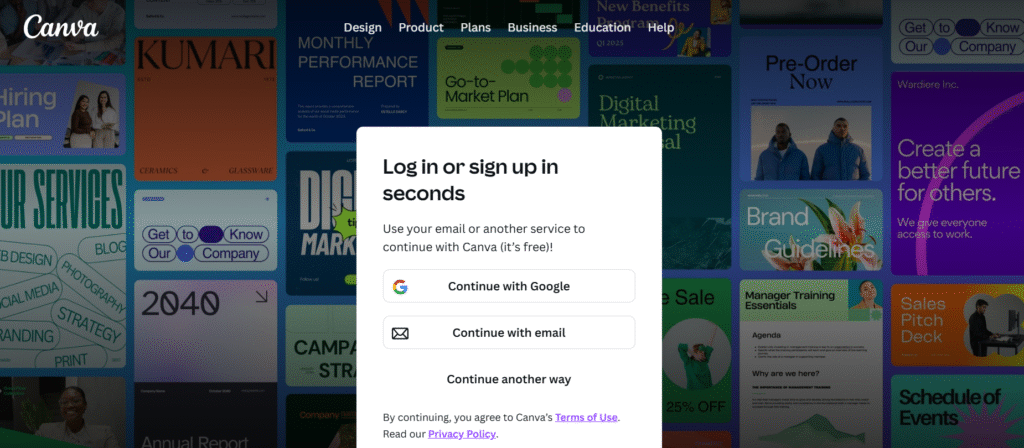
· Go to Canva.com. or Download Canva App from Android and IOS.
· You can sign up using an email address, Google account, or Microsoft account.
· After entering your email (or choosing Google/Microsoft), you set a password and then verify (usually via email).
·Use the same credentials (email/password) or sign in with Google / Microsoft.
·Once logged in, you land on the Canva dashboard where you can start a new design or browse templates.
2. What is better for me paid or free?
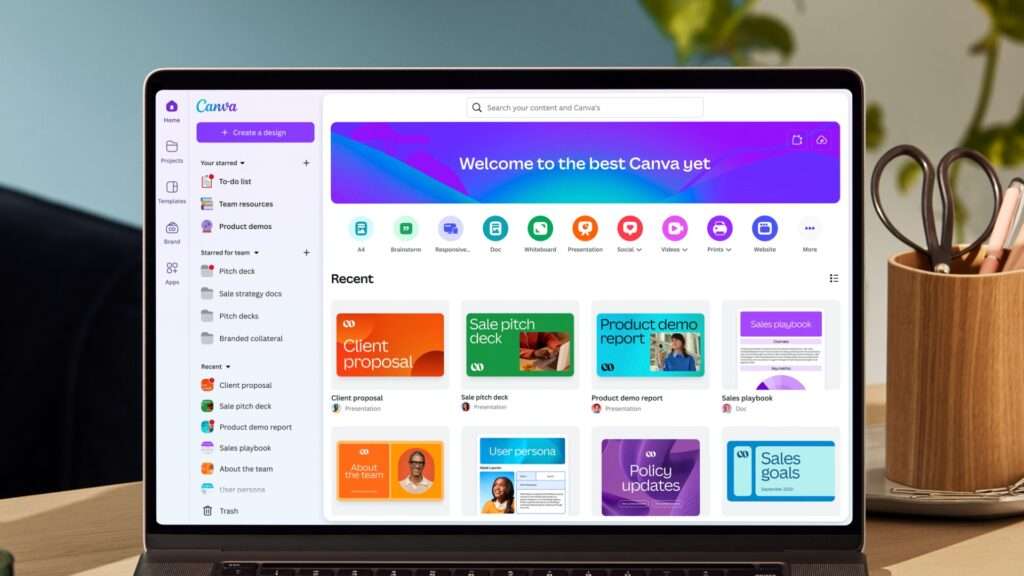
Here is blog-ready content based on Canva’s pricing in the Indian context, fully expanded, structured, and SEO-friendly.
(No Canva tool call is required because you asked for blog details, not a design edit.)
Canva Pricing in India (2025): Complete Guide for Bloggers, Creators & Businesses
Canva has quickly become one of the most popular design tools in India, used by content creators, freelancers, educators, startups, and even enterprise brands. Whether you’re crafting social media posts, YouTube thumbnails, presentations, or marketing assets, Canva offers flexible pricing options to suit every level of need.
This guide breaks down Canva’s Free, Pro, Teams, Education, Nonprofit, and Enterprise plans in India, along with features, Indian pricing equivalents, and who each plan is best suited for.
⭐ Why Canva’s India Pricing Matters
Canva adjusts its global pricing to regional markets, making it much more affordable for Indian users. With AI becoming a major part of content creation, Canva now includes many AI-powered tools like Magic Write, Magic Design, and Magic Eraser, which are available with varying limits depending on your plan.
2.1 Canva Free Plan (₹0) — Ideal for Beginners & Students
Canva Free is perfect for casual users or anyone just starting out with design.
Features Included:
- Access to thousands of free templates
- Drag-and-drop editor
- 5 GB cloud storage
- Basic photos, shapes, icons, audio, and video
- Limited monthly access to AI tools (Magic Write, Magic Eraser, etc.)
- Basic collaboration features
Best for:
- Students
- New bloggers
- Social media hobbyists
- Occasional design needs
2.2 Canva Pro Plan — ~₹499/month or ~₹3,999/year
Canva Pro is the most popular plan in India—especially among freelancers, YouTubers, influencers, and marketers.
Key Features:
- 1 TB cloud storage
- Access to all premium templates & creative assets
- Unlimited background remover
- Magic Resize to convert one design into multiple formats
- Brand Kit (logos, colors, fonts)
- Full access to Canva’s AI tools (Magic Studio)
- Unlimited folders and premium animations
- Schedule posts to social media
- Download in transparent background
Best for:
- Freelancers
- Content creators
- Bloggers
- Coaches & educators
- Small businesses
2.3 Canva Teams Plan — Starts at ~₹1,099/month for up to 5 users
Made for businesses and agencies, Canva Teams expands on Pro with collaboration and workflow tools.
Features:
Includes everything in Pro plus:
- Team collaboration and real-time commenting
- Multiple brand kits
- Team templates for standardizing brand posts
- Role-based permissions (Admin, Member, Template Designer)
- Approval workflows for publishing
- Centralized asset management
- Multi-seat licensing
Price increases with number of users.
Best for:
- Small businesses
- Design agencies
- Social media teams
- Marketing departments
2.4 Canva for Education — 100% Free for Teachers & Students
One of the most valuable offerings from Canva is its free premium access for verified educators and K-12 institutions in India.
Features:
- Everything in Canva Pro, completely free
- Class collaboration tools
- LMS integration (Google Classroom, Teams, Canvas, etc.)
- Templates for assignments, worksheets, presentations, infographics
Best for:
- School teachers
- Students
- Educational institutions
(Verification required.)
2.5 Canva for Nonprofits — Free for Eligible NGOs in India
Registered nonprofits in India can access Canva Pro at no cost, for up to 50 users.
Features:
- Full Pro access
- Collaboration features
- Premium templates for fundraising, marketing, outreach
- Social media scheduling
Best for:
- NGOs
- Charitable organizations
- Nonprofit media & communication teams
(Verification through Canva + TechSoup required.)
2.6 Canva Enterprise — Custom Pricing for Large Organizations
Canva Enterprise is designed for companies needing advanced security, control, and brand governance.
Key Features:
- Single Sign-On (SSO)
- Enterprise-grade security
- Advanced brand control
- Unlimited storage
- Centralized admin dashboard
- User provisioning and SAML authentication
- Dedicated account manager
Best for:
- Corporates
- Large agencies
- Global brands
📊 Comparison Table: Canva Plans in India (2025)
| Plan | Price (Approx INR) | Best For | Key Features |
|---|---|---|---|
| Free | ₹0 | Beginners, students | Basic templates, 5GB storage, limited AI |
| Pro | ~₹499/month or ₹3,999/year | Creators, freelancers | Premium assets, 1TB storage, full AI, Brand Kit |
| Teams | From ~₹1,099/month (5 users) | Small businesses, agencies | Collaboration tools, workflows, permissions |
| Education | Free | Teachers & Students | Full Pro access, classroom tools |
| Nonprofits | Free (up to 50 users) | NGOs | Premium access, collaboration |
| Enterprise | Custom pricing | Large orgs | Security, SSO, governance, unlimited storage |
3. How people used canva to design like a pro ?
Canva is primarily used for graphic design and visual content creation, but with AI, its functionality has grown significantly:
• Marketing Content: Social media posts (Instagram, TikTok, Facebook), presentations, ads, and infographics.
• Video Creation: Simple video editing, YouTube thumbnails, and AI video generation.
•Background removal: Smart background remover using AI, to isolate subjects in images.
•Voice-overs: AI voice apps (via Canva Apps Marketplace) to add narration in designs.
•Print Materials: Flyers, posters, business cards, and merchandise.
4. User Experiences Matter the most
User feedback is overwhelmingly positive:
• The average user rating for Canva across major review platforms is 4.06 out of 5 as of November 2025
• Common positive feedback includes the extensive template library, simple drag-and-drop interface, and time-saving features like background remover and Magic Resize
Common Complaints:
• Some users report frustrations with customer support, particularly lack of human assistance and reliance on AI chatbots
• Some users find limitations with certain pro features and wish for more advanced editing tools for non-pro users
5. Canva is Helpful in Which Industries ?
Canva serves a diverse range of industries and user types:
·Marketing& Advertising: Social media managers, content creators, digital marketers
·Education: Teachers, students, educational institutions
·Small Business: Entrepreneurs, startups, small business owners
·Non-profits: Charitable organizations, community groups
·Corporate: More than 95% of Fortune 500 companies including HP and Snowflake now use Canva
·Creative Industries: Freelance designers, bloggers, influencers
·E-commerce: Online retailers, product marketers
·Real Estate, Hospitality, Healthcare, Events & Entertainment
6. Canva Best Suited with : PHONE v/s LAPTOP ?
Desktop/Laptop (Recommended for Professional Work):
· Computers have the edge in design quality with larger screens and more precise input for creating higher-quality, more complex designs
· Desktop screens allow users to see more and design more complex projects, while mobile is restricted to smaller screens
· Better for: Complex designs, detailed editing, presentations, multi-page documents,collaboration.
Mobile (Great for On-the-Go):
·The mobile app offers convenience for creating designs on the go, with a simple and straightforward user interface
·The mobile app has unique features not available on desktop, including enhanced filters, live camera features for Instagram/Facebook stories, and Siri integration on iPhone
·Mobile is perfect for downloading designs and scheduling or uploading to social media on the go
·Better for: Quick edits, social media posts, simple graphics, posting on the go
7. Why Canva is so successful ?

Founders:
Melanie Perkins (CEO, born 1987 in Perth, Australia), Cliff Obrecht (COO, now married to Melanie), and Cameron Adams (CPO, former Google designer) are the three co-founders of Canva.Canva was founded in 2013 in Sydney, Australia.
Journey:
·Melanie Perkins developed the concept in 2007 while teaching graphic design at age 19, frustrated by how complex tools like Adobe Photoshop were for students.
·Perkins and Obrecht first created Fusion Books in 2007, an online yearbook design business, to test their simplified design concept, securing an AUD 50,000 friends and family loan.
·Perkins faced over 100 rejections from investors before securing early funding from venture capitalist Bill Tai, who introduced her to key Silicon Valley connections.
·Through Google Maps co-creator Lars Rasmussen, they were introduced to Cameron Adams, who joined in 2012 as the third co-founder and chief product officer.
Canva launched publicly in 2013 and reached a $1 billion valuation within five years, making Melanie one of the youngest female tech unicorn founders at age 30.
· The founders moved from Perth to Sydney to more easily find technical and startup talent.
· By 2020, Canva reached $100 million in annual recurring revenue and hit 50 million users.
· Perkins and Obrecht joined the Giving Pledge in 2021, committing to donate at least half their fortune (including 30% of their Canva equity) to combat extreme poverty
Company Milestones:
- 2013: Public launch
- 2016: Launched in 6 languages (now available in 100+ languages)
- 2017: Major code rewrite (Editor 2 project)
- 2021: Added video editing tools
- 2022: Entered AI space with Magic Write and other AI features
- 2023: Launched Canva Docs to compete with Google Docs and Microsoft Word
- 2024-2025: Continued expansion with acquisitions and new AI capabilities
8. Canva has enough fund to expand ?
·Latest valuation: $42B(≈ ₹3,48,000 crore) in 2025 employee share sale, backed by Fidelity and J.P. Morgan
·No confirmed IPO yet, but speculation is high.
Recent Developments:
·Canva is planning a public listing in the US, which could provide additional capital for growth.
·The company now serves more than 220 million monthly users across over 190 countries.
·The company maintained profitability for seven consecutive years and added 1,000 employees in 2024
9. Why Canva is perfect for me? Student vs Professional
Best for Both. Canva is strategically designed to serve both demographics:
• Students: Free access to premium features via Canva for Education makes it an indispensable tool for school projects, presentations, and club promotions.
• Professionals:Canva Pro/Business is essential for marketers, content creators, and businesses, offering features critical for professional workflow, such as team collaboration, brand kit management, and integrated content scheduling.